> For the complete documentation index, see [llms.txt](https://docs.nifty.ai/llms.txt). Markdown versions of documentation pages are available by appending `.md` to page URLs; this page is available as [Markdown](https://docs.nifty.ai/inventory-management/search-sort-and-filter.md).
# Search, Sort, and Filter
With hundreds or thousands of items, finding what you need quickly is essential. The [**Inventory Manager**](/inventory-management/inventory-manager.md) provides search, sort, and filter tools to narrow down your view.
### Where to find it
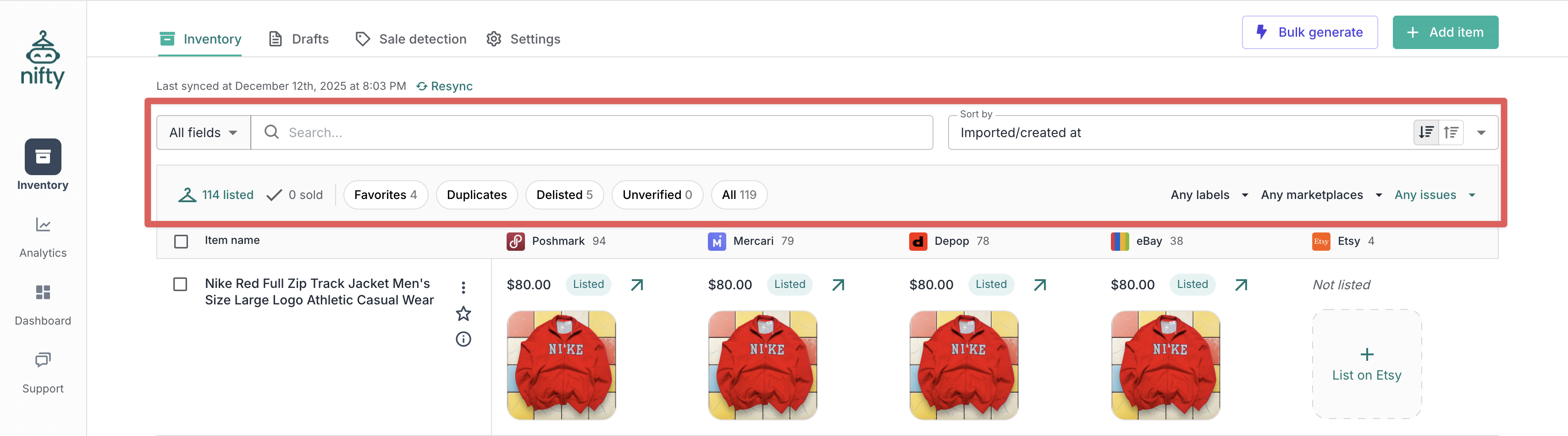
Search, sort, and filter controls appear at the top of the **Inventory Manager**. The filters are shown in a gray **Filter bar** above your inventory. On mobile, this bar has a filter icon at the far right — you'll need to tap that to see all filters.
### Search
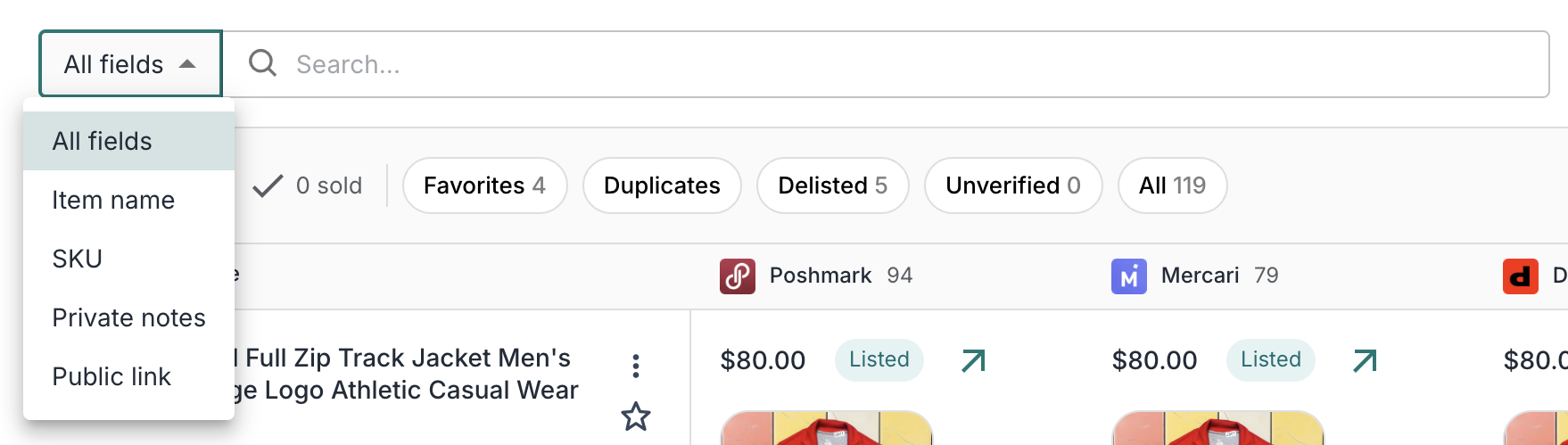
Type keywords into the search bar to find items by item name, SKU, private notes, or public link. By default, Nifty searches across all of these, but you can use the dropdown on the left to perform a more targeted search.
### Filters
#### Status filters
| Filter | What it shows |
| ---------- | ------------------------------------------------------------- |
| Listed | Items with at least one active listing |
| Sold | Items with at least one sold listing and zero active listings |
| Drafts | Items that are fully drafted |
| Delisted | Items removed from all marketplaces |
| Favorites | Items marked as favorites |
| Duplicates | Items detected as possible duplicates |
| Unverified | Items pending verification after AI matching |
| All | All items, regardless of status |
{% hint style="info" %}
**Note:** Items where some listings are sold and others are active will remain **Listed** until all listings are inactive. Multi-quantity items won't appear in **Sold** until they're sold out.
{% endhint %}
For help resolving duplicates, see [Finding and fixing duplicates](/inventory-management/finding-and-fixing-duplicates.md).
#### Label filters
Filter your inventory by labels using include and exclude mode:
* **Include** (✓): Show only items that have any of the selected labels.
* **Exclude** (✗): Hide items that have any of the selected labels.
You can use both at the same time — for example, include **Summer** while excluding **Consigned** to see summer items that aren't consigned.
Use **Include all**, **Exclude all**, or **Reset** at the bottom of the dropdown to quickly update all labels at once.
#### Marketplace filters
Filter your inventory by marketplace using include and exclude mode:
* **Include** (✓): Show only items listed on the selected marketplace.
* **Exclude** (✗): Hide items listed on the selected marketplace — useful for finding crosslisting opportunities.
For example, exclude **eBay** to find items you haven't crosslisted to eBay yet.
#### Issues filter
Filter to items Nifty has flagged for attention — partially delisted listings, price inconsistencies, mismatched quantities, publishing errors, and more. Each flag comes from a [**Warning**](/inventory-management/warnings.md); see that page for what each one means and how to fix it.
### Sorting
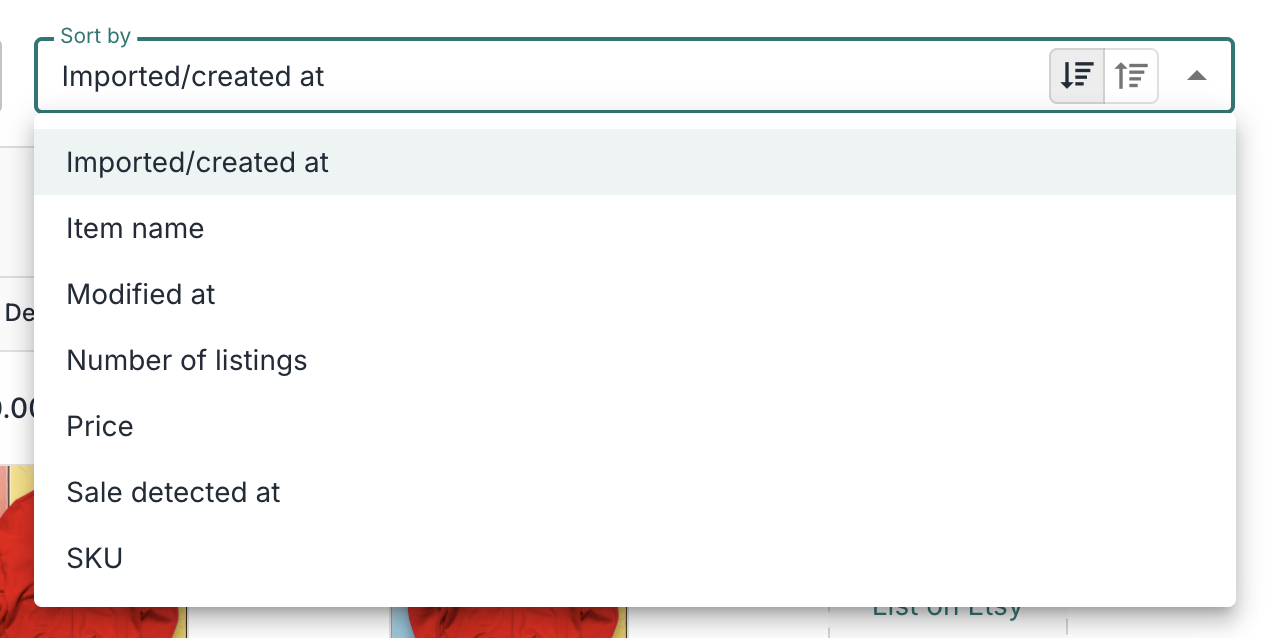
Use the sort dropdown to order your inventory by:
| Sort by | What it does |
| ------------------- | ------------------------------------------------ |
| Imported/created at | See recently imported or created listings |
| Item name | Order listings by item name |
| Modified at | See recently modified listings |
| Number of listings | Find most-crosslisted or least-crosslisted items |
| Price | Find highest or lowest priced items |
| Sale detected at | See recently sold listings |
| SKU | Order listings by SKU (alphanumeric) |
### Limitations
| Limitation | Details |
| --------------------- | ------------------------------------------------------------------ |
| Filter by date range | No option to show "items imported/created between two dates" |
| Filter by days listed | No built-in "stale inventory" filter |
| Search descriptions | Search only looks at titles, SKUs, private notes, and public links |
---
# Agent Instructions
This documentation is published with GitBook. GitBook is the documentation platform designed so that both humans and AI agents can read, navigate, and reason over technical content effectively. Learn more at gitbook.com.
## Querying This Documentation
If you need additional information that is not directly available in this page, you can query the documentation by asking a question.
Perform an HTTP GET request on the following URL with the `ask` and `goal` query parameters:
```
GET https://docs.nifty.ai/inventory-management/search-sort-and-filter.md?ask=&goal=
```
`ask` is the immediate question: it should be specific, self-contained, and written in natural language.
`goal` is what the user is ultimately trying to achieve, the reason they need the answer. Sharing it helps GitBook give you a better, more relevant answer. A goal is most helpful when it describes the outcome the user wants rather than restating the question. For example, with `ask=how do I create an API token`, a goal like `automate deployments from our CI pipeline` lets GitBook tailor the answer to that use case.
The response will contain a direct answer to the question and relevant excerpts and sources from the documentation.
Use this mechanism when the answer is not explicitly present in the current page, you need clarification or additional context, or you want to retrieve related documentation sections.

.png?alt=media)