> For the complete documentation index, see [llms.txt](https://docs.nifty.ai/llms.txt). Markdown versions of documentation pages are available by appending `.md` to page URLs; this page is available as [Markdown](https://docs.nifty.ai/crosslisting/ai-listing-generator.md).
# AI Listing Generator
Nifty's AI can create complete multi-marketplace listings from photos alone — generating titles, descriptions, categories, and item specifics automatically.
### Where to find it
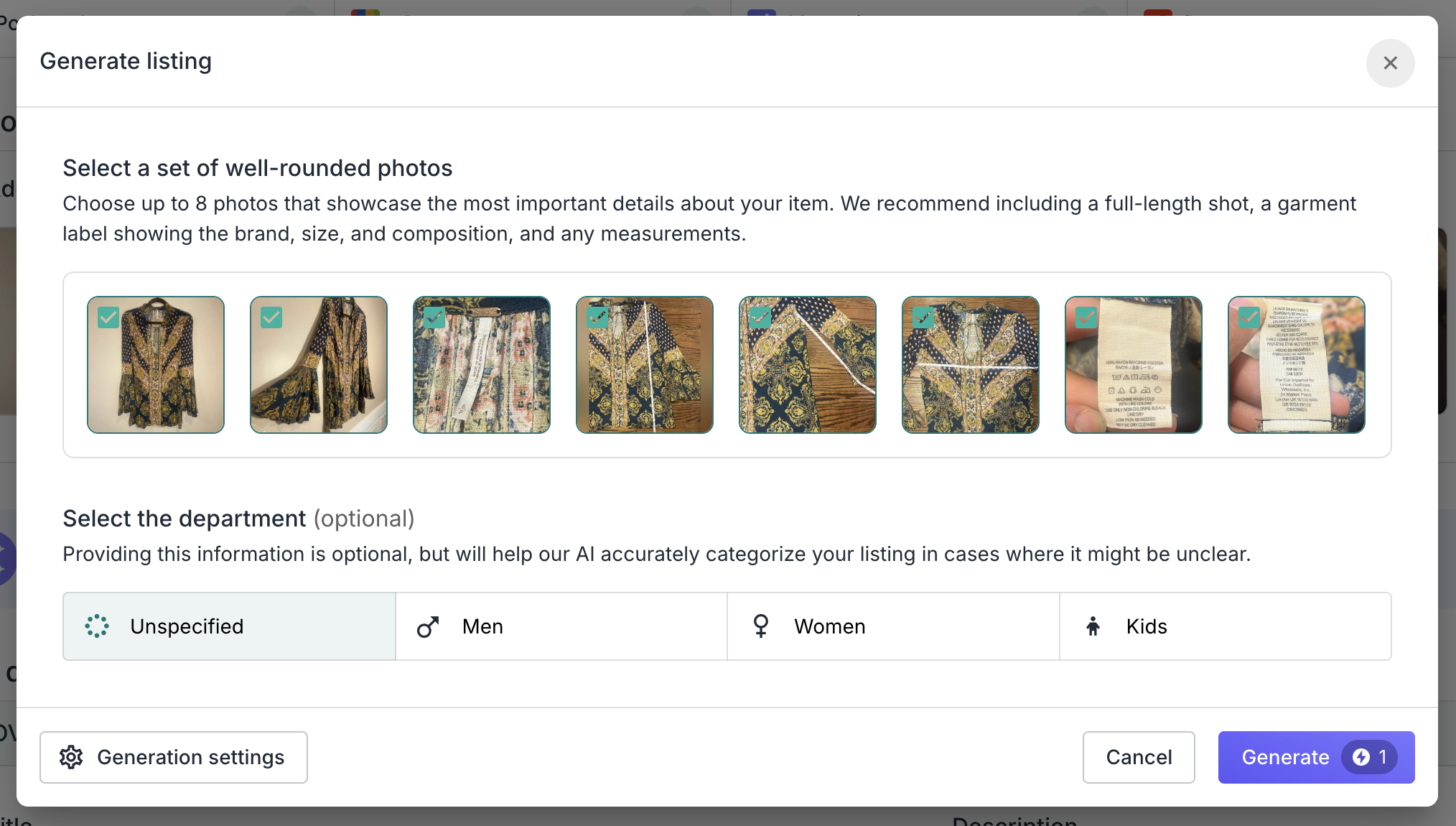
To generate a single set of listings, go to the [**Inventory Manager**](/inventory-management/inventory-manager.md) and click **Add item** or **Edit item** (see [Creating and Editing Items](/crosslisting/creating-and-editing-items.md)). Click **Generate Listing** in the purple section below the photos.
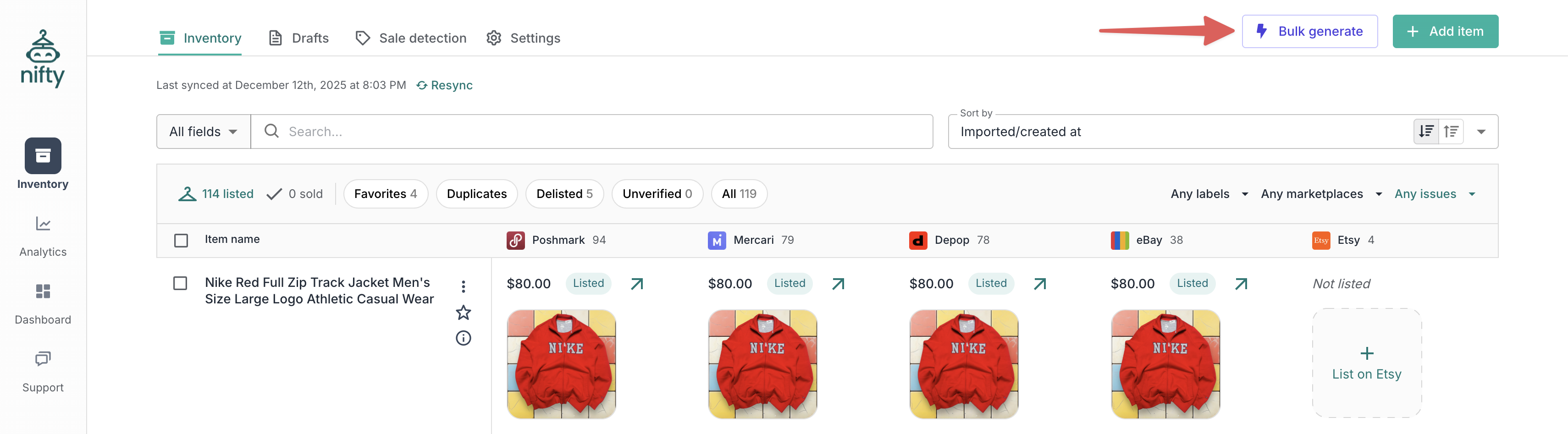
To generate multiple sets of listings at once, go to the [**Inventory Manager**](/inventory-management/inventory-manager.md) and click **Bulk Generate** (top right). On mobile, this appears as a button with a purple lightning bolt.
### How it works
1. Upload photos of your item.
2. Select up to 8 photos for AI analysis.
3. AI analyzes the images and fills in:
* Title (optimized for search).
* Description (customizable style).
* Price (when recent comparable sales are available).
* General details: condition, colors, style tags.
* Marketplace-specific details: category, brand, size, specifics.
4. Review and edit the generated content.
5. Publish when ready.
The AI uses your photos to fill out all the relevant details. Better photos = better results.
**No setup required** — just upload photos and click Generate. The sections below explain optional ways to customize.
### Custom instructions
Want more control? Go to Settings → [**AI Generation**](https://app.nifty.ai/settings/ai-generation) to customize how the AI writes your listings. This is optional — the AI works well with no configuration.
#### Using snippets
Not sure where to start? Use the snippet buttons to insert pre-built templates, then customize them. Snippets are just starting points — edit or delete any part.
Available snippets:
* **Title** — Customize what goes in your title and in what order
* **Description** — Tell the AI how to write your descriptions
* **+ Tone** — Set the writing style (friendly, professional, etc.)
* **+ Occasions** — Suggest when or where to use the item
* **+ Item specifics** — Add a bulleted list of details
* **+ Keywords** — Add search terms at the end
* **Condition** — Set a default when condition isn't obvious from photos
#### Writing your own instructions
You can write custom instructions in plain English. Be specific about what you want:
| Instead of... | Try... |
| ----------------- | --------------------------------------------------------------- |
| "Make it short" | "Keep descriptions under 500 characters" |
| "Add keywords" | "Create a new section with 10-15 SEO keywords, comma-separated" |
| "Be professional" | "Use a friendly but professional tone, no emojis" |
For longer instructions, organize by section — the AI follows structured formatting best:
```
Title:
[your title instructions]
Description:
[your description instructions]
Condition:
[your condition instructions]
```
{% hint style="info" %}
**Tip:** Writing good instructions is an art, not a science — expect to experiment. Try using an LLM like ChatGPT or Claude to help you draft and iterate. Describe what you sell and the style you want, then ask it to write instructions you can paste into Nifty.
{% endhint %}
#### Description footer
Add a personal touch that appears at the end of every description — like "Thanks for shopping secondhand!" or your return policy.
### Tips for best results
* **Clear, well-lit photos:** AI can only identify what it can see.
* **Include labels showing brand, size, and any identifiers:** AI is able to read text and look up the RN (Registered Identification Number).
* **Select a department:** For unisex items like jeans, selecting the department (men, women, kids) upfront will steer the AI in the right direction.
* **Include additional info:** Mention anything the AI can't see — like flaws or details you want included. The AI will incorporate them naturally.
* **Multiple angles:** Front, back, notable details.
* **Measurements:** Write measurements on a card, or include a photo with a ruler or tape measure — the AI reads both accurately.
### Smart Credits
Each AI generation uses 1 **Smart Credit**. See [**Smart Credits**](/crosslisting/smart-credits.md) for details on costs and monthly allocations.
### Limitations
| Limitation | Details |
| ----------------- | ---------------------------------------------------------------- |
| Enhance your text | AI won't improve words you've already written — it replaces them |
| Learn your style | AI doesn't learn from your previous listings |
---
# Agent Instructions
This documentation is published with GitBook. GitBook is the documentation platform designed so that both humans and AI agents can read, navigate, and reason over technical content effectively. Learn more at gitbook.com.
## Querying This Documentation
If you need additional information that is not directly available in this page, you can query the documentation dynamically by asking a question.
Perform an HTTP GET request on the current page URL with the `ask` query parameter, and the optional `goal` query parameter:
```
GET https://docs.nifty.ai/crosslisting/ai-listing-generator.md?ask=&goal=
```
`ask` is the immediate question: it should be specific, self-contained, and written in natural language.
`goal` is optional and describes the broader end goal you are ultimately trying to accomplish on behalf of the user. GitBook uses it to tailor the answer towards what is most useful for that goal.
The response will contain a direct answer to the question and relevant excerpts and sources from the documentation.
Use this mechanism when the answer is not explicitly present in the current page, you need clarification or additional context, or you want to retrieve related documentation sections.